
The reader · one working score
The score stays central.
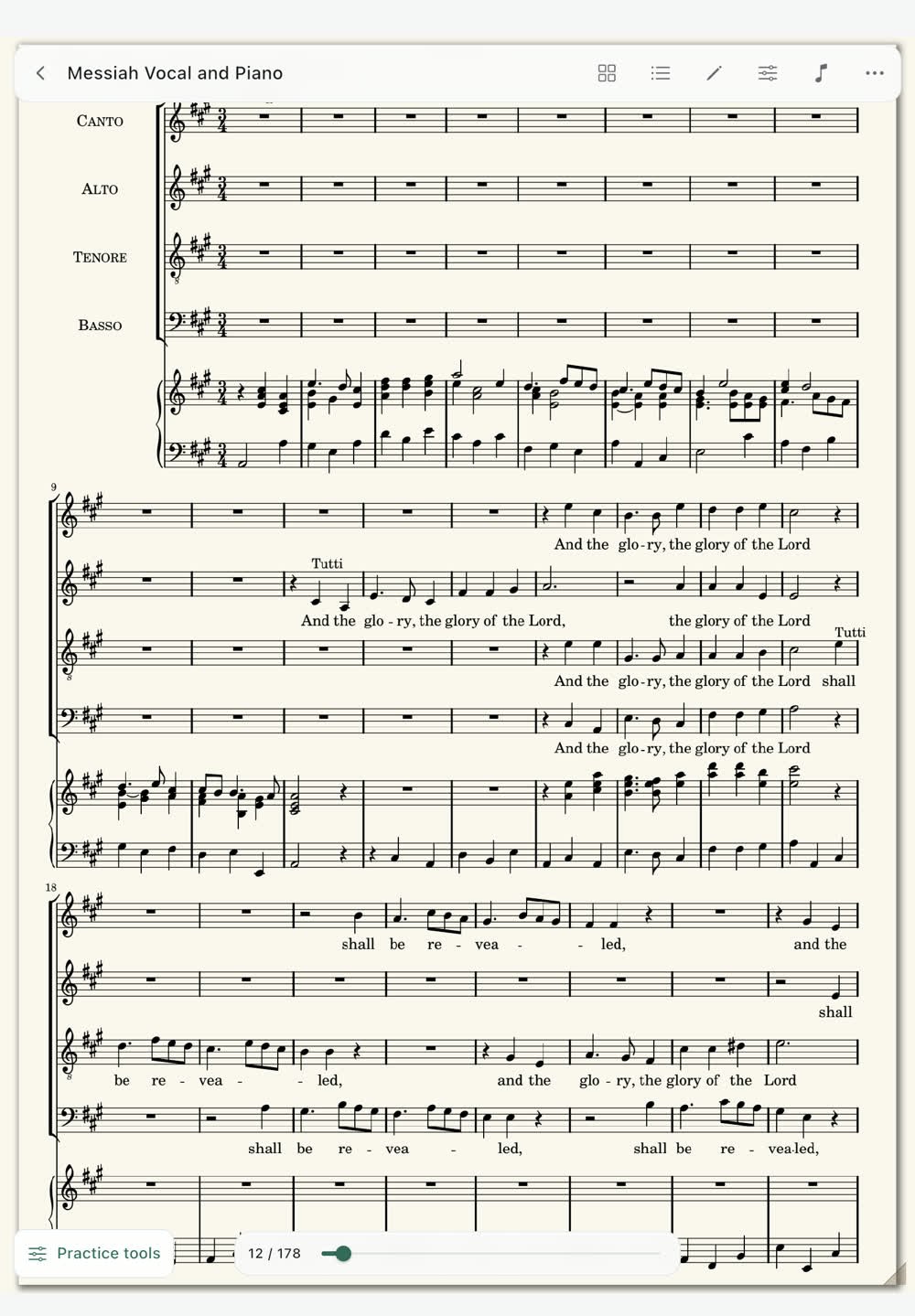
Move from finding the music to preparing it, then practise without breaking your place.
01 / Library
Bring the right copy to rehearsal.
Import a PDF, image score or MusicXML file. Search and sort your library, edit score information, mark favourites and build setlists. A newly imported PDF is only on that device until you choose Add to iCloud for that copy.
Linked PDFs, annotations and score details can sync between Accordia on Mac and iPad. Separately imported copies keep their own markings. Removed linked scores can be restored from Recently removed.
Library instructions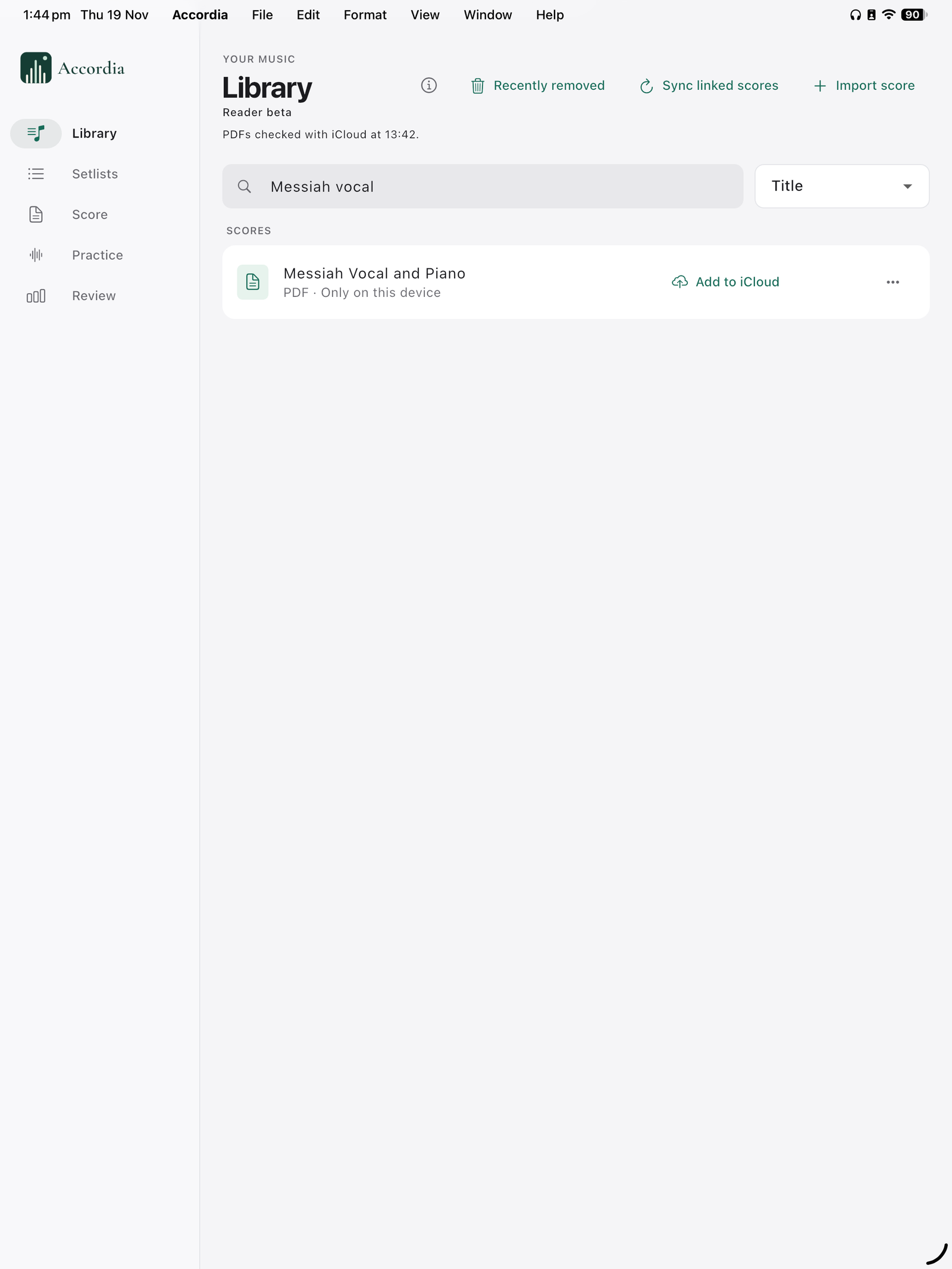
02 / Navigation
Find a movement in one tap.
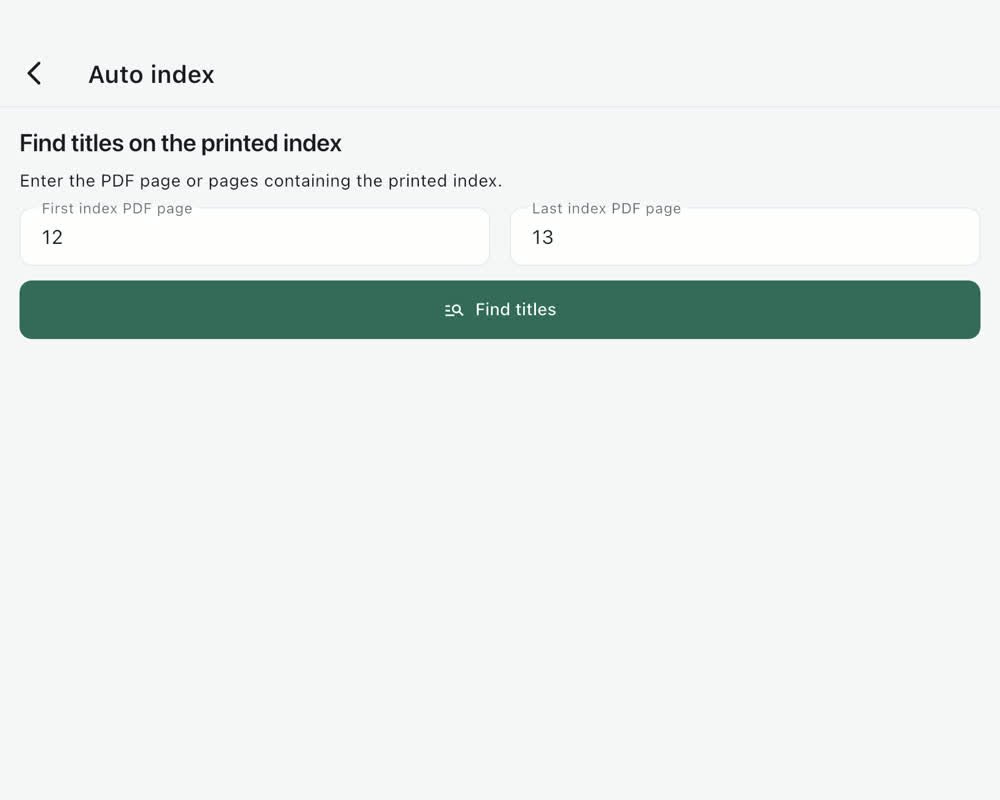
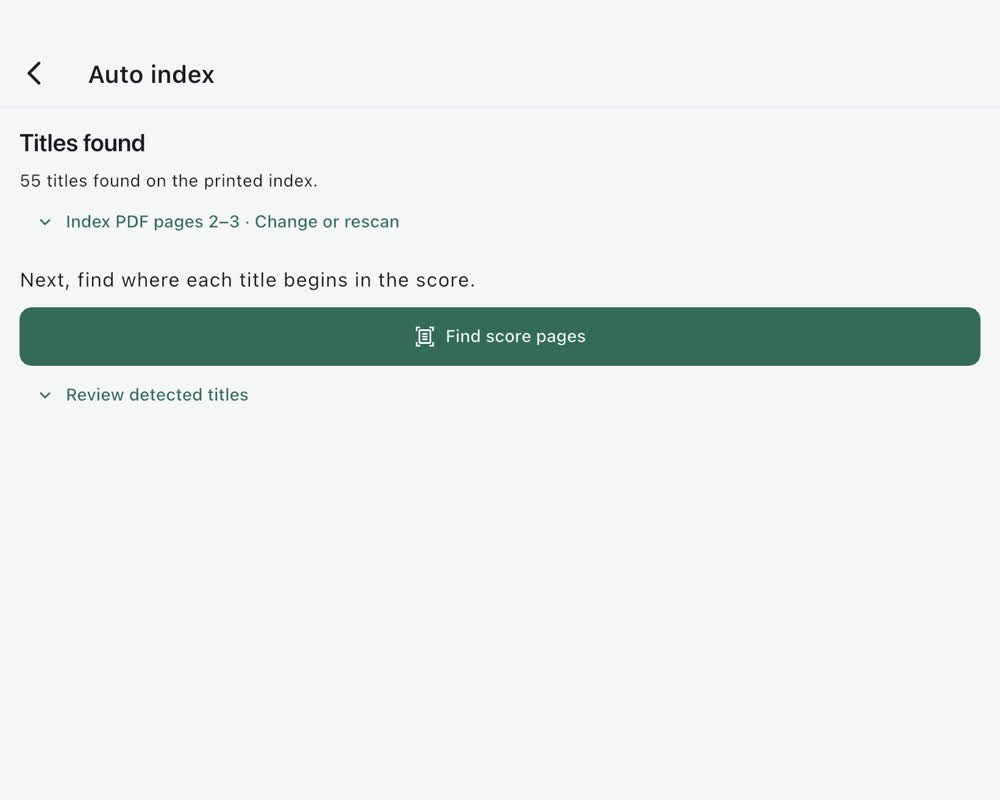
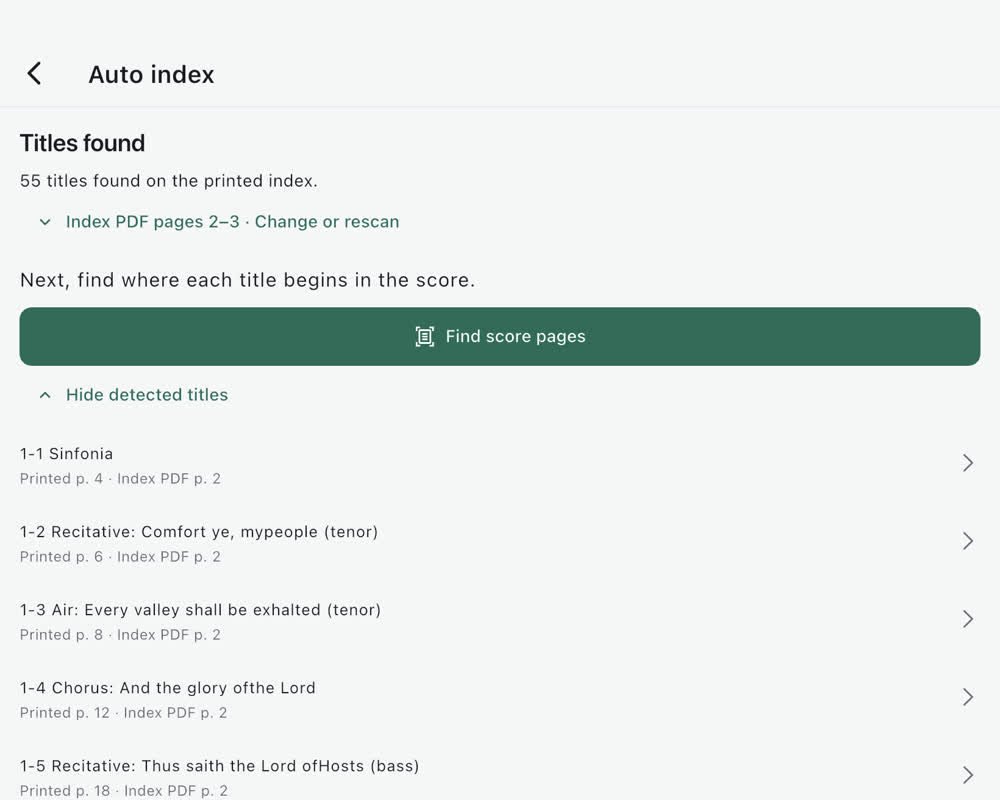
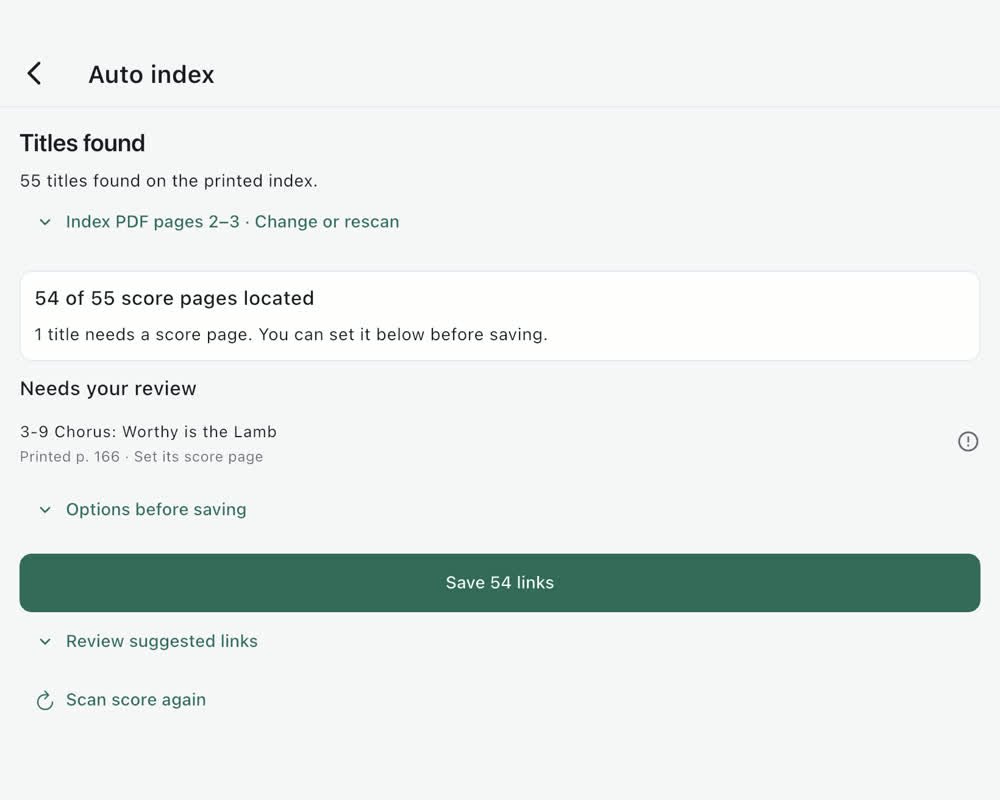
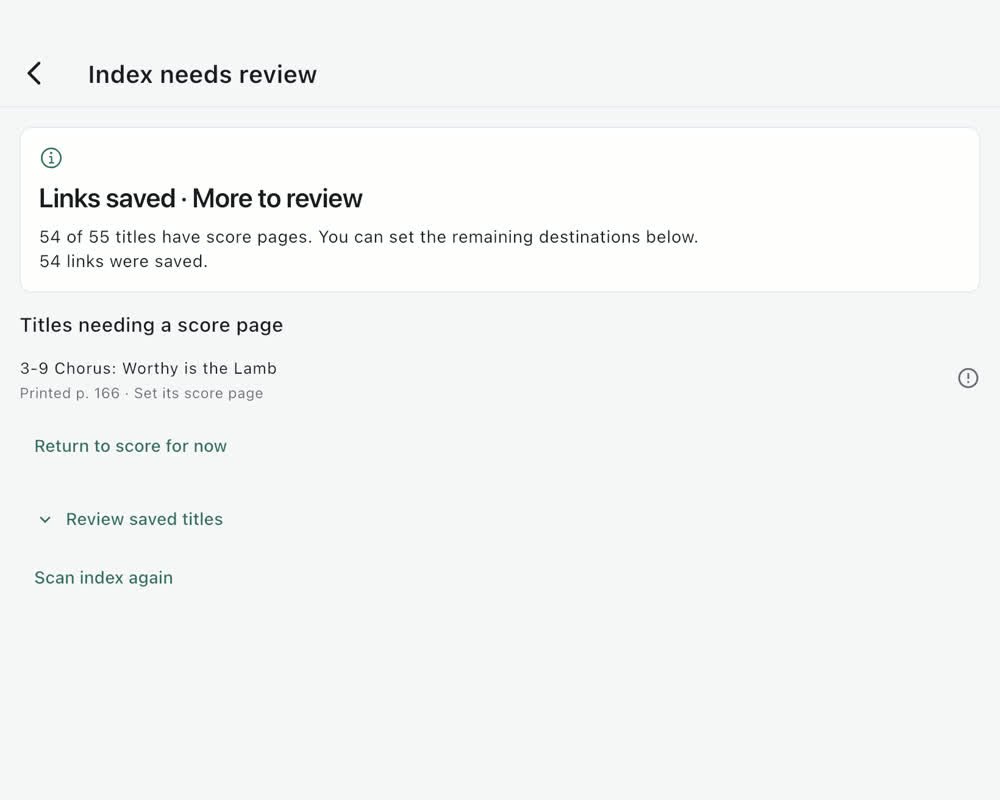
Create Sections manually or from a printed index. Accordia suggests titles and their score destinations; review them, correct any doubtful match, then save the links. Saved places, repeat routes and in-score setlists help you move through a longer work.
Automatic results depend on the edition and its page layout. Check the links against the music before a performance.
Printed-index guide54 links saved.One title left for review in our test score.
03 / Pages
Use the space on the screen.
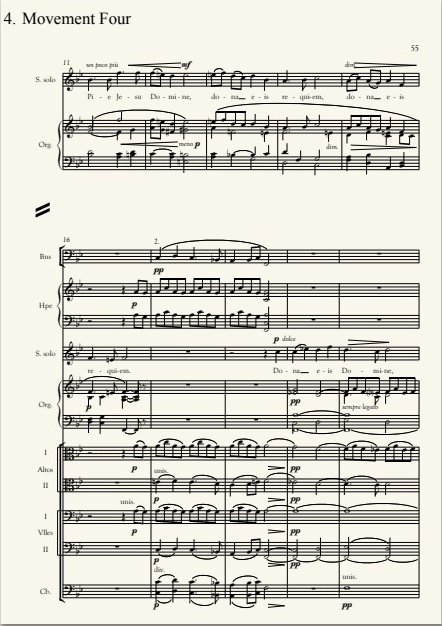
Choose a book or continuous view, page colour and brightness. Auto crop keeps breathing room around text and notation. For an unusual page, adjust the left, right, top or bottom edge yourself; that crop carries forward until you change it again. Your source PDF remains intact.
A Bluetooth page pedal can turn the page while your hands stay on the music.
Page preparation guide
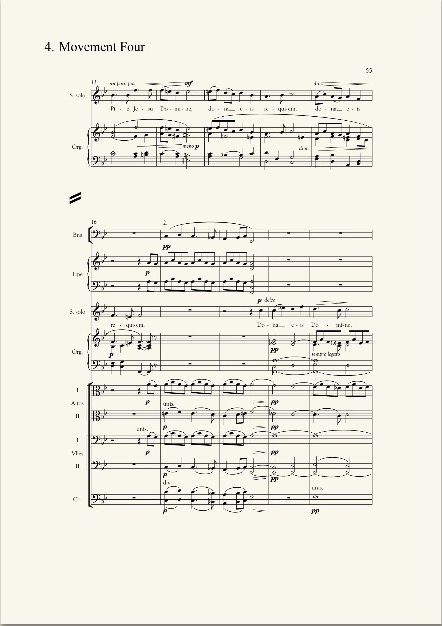
01Imported pageThe score is surrounded by unused margins.
02Auto cropAccordia finds the content boundary.
03Reading viewThe saved crop lets the notation fill more of the screen.
Actual before and after captures from the Accordia beta. Tablet setting is illustrative. The source file stays intact.